Any length, not a fixed loop
Set 5:00, 10:00, or exactly 7:30 — the countdown matches your service start, not the length of a video file you happened to download.
Worship timer
Run the pre-service countdown on the big screen, time every segment from call to worship to benediction, and give the pastor a private clock — controlled from any phone, shown on any screen, with no hardware to buy.
Before the service
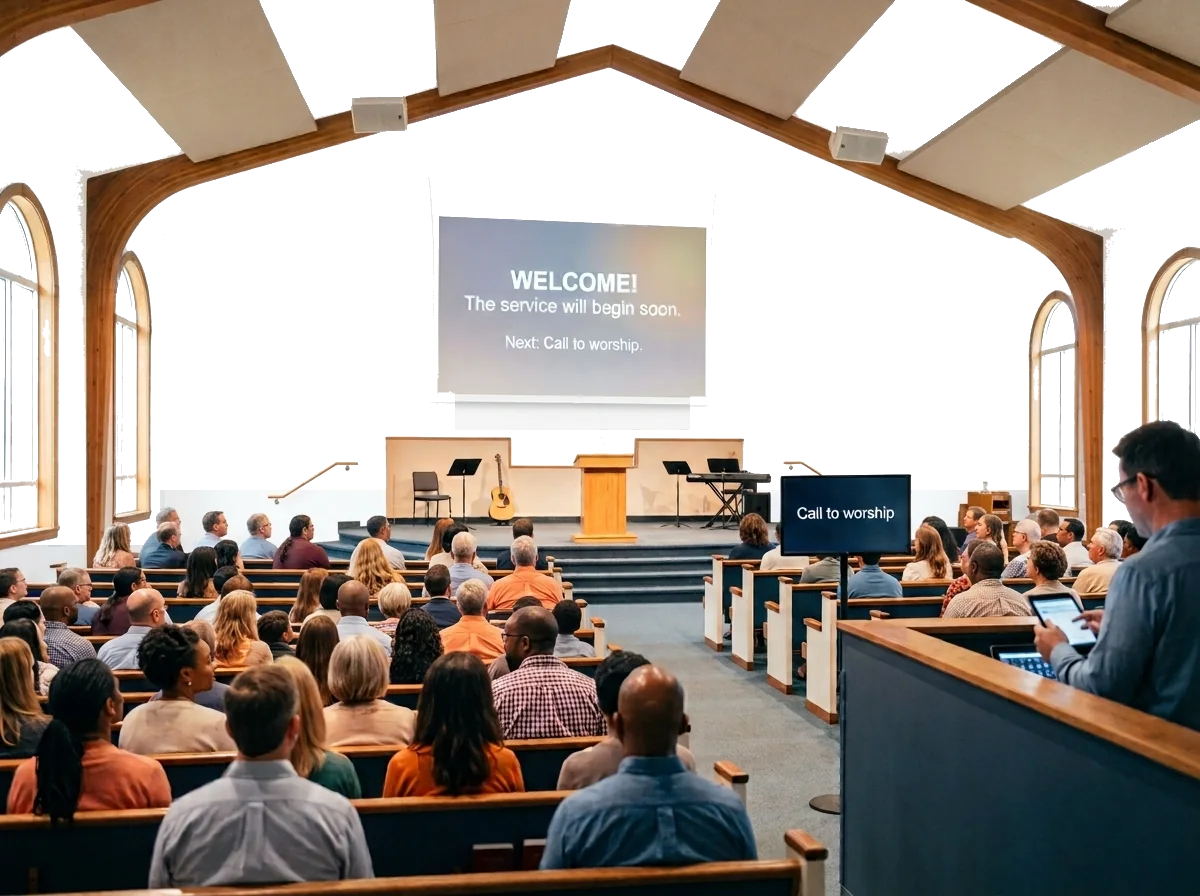
Many churches open the projection with a five-minute countdown so people can find their seats. Countdown videos work, but the length is fixed, the message is baked into the file, and the timing logic ends when the video does.
A PresentationTimer display link turns the same projector into a full-screen church countdown timer you control: any length — five minutes, ten minutes, or the exact gap before your service — with your own welcome message, and nothing to download.
When the countdown reaches zero, the host switches straight into the first segment timer. One screen carries the room from pre-service into the call to worship.
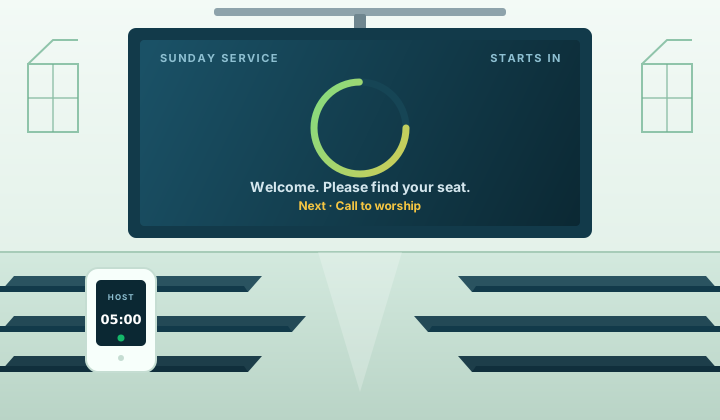
Set 5:00, 10:00, or exactly 7:30 — the countdown matches your service start, not the length of a video file you happened to download.
Add a welcome line or the sermon series title as the display message under the countdown, and change it any Sunday without re-rendering anything.
Custom display layouts on Pro carry your church logo, background, and accent colors, so the countdown matches the rest of your projection graphics.
Setting up a branded display? Read the logo and background guide.
The usual workarounds
Countdown videos
Great before the service, but the length is fixed, the message is baked into the file, and the timing logic ends when the video does.
Presentation software clocks
ProPresenter and EasyWorship include clocks, but they are built for the operator, tied to the production computer, and hard for the pastor to read from the stage.
Dedicated hardware clocks
Reliable and readable, but purpose-built presenter clocks can run from a few hundred dollars to well over a thousand — and they only do one job.
Hand signals from the front row
Free and universal — until the pastor is mid-sermon, eyes on the congregation, and misses the card.
PresentationTimer
A browser-based worship timer with a full-screen pre-service countdown, per-segment timing, and a private speaker view for the pastor.
One room for the whole service
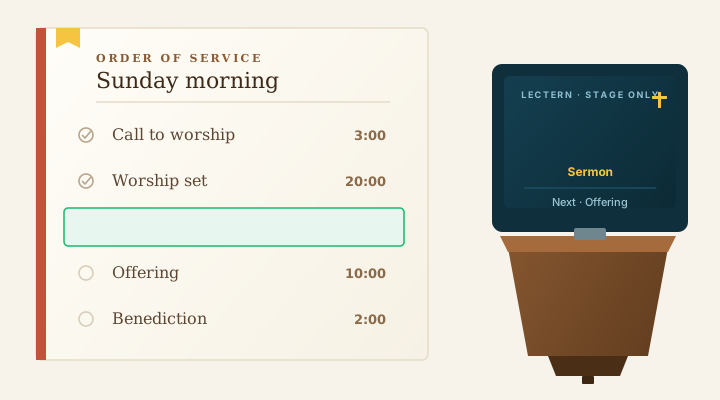
Build the run of show once: one timer per segment, from the call to worship through the benediction. The booth sees the full list; the screens only ever show the active countdown.
Linked Start can select or start the next segment automatically when the previous one ends — the same flow we describe on the speech timer page — while manual control stays available whenever the room changes.
Prepare the rundown during the week with the agenda timer workflow, and on Sunday the host simply advances it.
A private clock for the stage
Open the speaker view on a confidence monitor facing the stage or a small tablet near the lectern. It shows the remaining time and the next segment — nothing else.
The congregation keeps watching your slides. Projection software like ProPresenter or EasyWorship keeps doing its job; PresentationTimer runs alongside it in a browser and only handles time.
When the sermon approaches the limit, the host pushes a short display message — “2 minutes left” or “Please wrap up” — from a phone in the booth. No more hand signals from the front row.
Volunteer-friendly
Sunday tech teams rotate, and nobody gets a training budget. Running the service takes three actions: start, pause, and next segment.
Prepare the rundown during the week, share the display links once, and the volunteer on duty simply advances the agenda. There is nothing to install on church computers — every view is a link that opens in a browser.
One tap begins the countdown for the current segment.
Hold a segment when the room needs a moment.
Advance the rundown when the service moves on.
Every screen that needs one
Each screen opens its own link and follows the active timer: the tech booth display, a confidence monitor at the front, a tablet near the worship leader, and a phone in the hand of the service producer.
Multi-service Sundays are where this pays off. When services run back to back with fifteen or twenty minutes between them, the next countdown is already waiting in the same room. A room timezone keeps scheduled start times aligned, which helps multi-campus churches stay on one clock.
Running a larger production with several stages and outputs? The conference timer workflow goes deeper on multi-screen setups.
Honest limitations
PresentationTimer is browser-based. Every screen needs a network connection, and there is no offline desktop mode — we would rather say that plainly than have you discover it on a Sunday morning.
What does help: the countdown state lives on the server, not on any single laptop. If a device drops, the timer keeps running and the screen catches up when it reconnects. Put the host on the most reliable connection you have — wired if possible — and keep a phone hotspot ready as backup; the traffic is tiny.
The sync troubleshooting guide covers reconnection behavior and recovery in detail.
Planning the rundown
Every church is different, but these ranges are common enough to plan a first rundown. Adjust them to your own services.
The moments that punish loose timing are multi-service Sundays, Christmas Eve, and Easter — exactly when a shared, visible countdown earns its place.
Full service
60–90 min
Many churches aim for about 75 minutes.
Worship set
15–25 min
Usually three to five songs.
Sermon
25–40 min
Some churches plan 20–30 minutes.
Announcements and offering
10–15 min
Combined with the call to worship and benediction.
Pre-service countdown
5–10 min
Five minutes is the common choice.
FAQ
Yes. Create one timer per segment — call to worship, worship set, sermon, offering, announcements — inside a single room. The host switches segments with one click, or lets Linked Start hand off automatically when a segment ends.
Yes. Open the speaker view on a confidence monitor facing the stage or a small tablet near the lectern. It shows the remaining time and the next segment, while the congregational projection keeps running your slides.
PresentationTimer is browser-based, so each screen needs a network connection — there is no offline desktop mode. The countdown state lives on the server, so if a device drops, the timer keeps running and the screen catches up when it reconnects. For Sunday-critical setups, keep the host on the most reliable connection you have and use a phone hotspot as backup; the traffic is minimal.
Yes. A free room needs no signup and no card, and includes 3 timers and 5 connected devices — enough for a pre-service countdown, a worship-set timer, and a sermon timer, with a booth display and a private pastor view. Longer rundowns and saved rooms are part of Pro.
No. The host can run the service from a phone, tablet, or the laptop already in the tech booth, and any screen with a browser can be a display. There is nothing to install.
Yes. Running the service takes three actions: start, pause, and advance to the next segment. Prepare the rundown during the week, and the volunteer on duty simply moves the room through it on Sunday.
On Pro, custom display layouts support your church logo, a background, and accent colors, so the pre-service countdown matches the rest of your projection graphics.
Yes — that is one of the two main uses. Open the display link full-screen on the projector, set any countdown length (five and ten minutes are common), and add a welcome message. When the countdown ends, switch straight into the first segment timer.
Any screen can open the same display link, which works for venues following the same run of show, and a room timezone keeps scheduled start times aligned across locations. For repeating Sundays, Pro saved rooms let you reopen the setup from last week instead of rebuilding it.
Yes. The host can add or subtract time from the running timer, or jump to a different segment at any point — communion ran long, an extra song was added — without resetting the room.
Free rooms include a basic sound. Pro adds per-stage chimes and flashes at Start, Yellow, Red, and overtime, delivered to specific roles — a quiet chime in the booth, a flash on the pastor's screen. You can also push a short display message such as “2 minutes left” or “Please wrap up” at any moment.
PresentationTimer is free for a basic setup. Pro is $19 per month or $152 per year (about $12.67 per month), and Premium covers larger productions. Purpose-built countdown hardware, by comparison, often costs from a few hundred dollars to well over a thousand dollars.
Ready for Sunday?
Set up the pre-service countdown and the sermon timer in a few minutes.
No signup, no hardware, and no countdown video to buy.
Related