In many panel discussions, the timing problem starts once the first answer runs long. The moderator is tracking the conversation, the panelists are focused on the audience, and the room still needs a visible time signal.
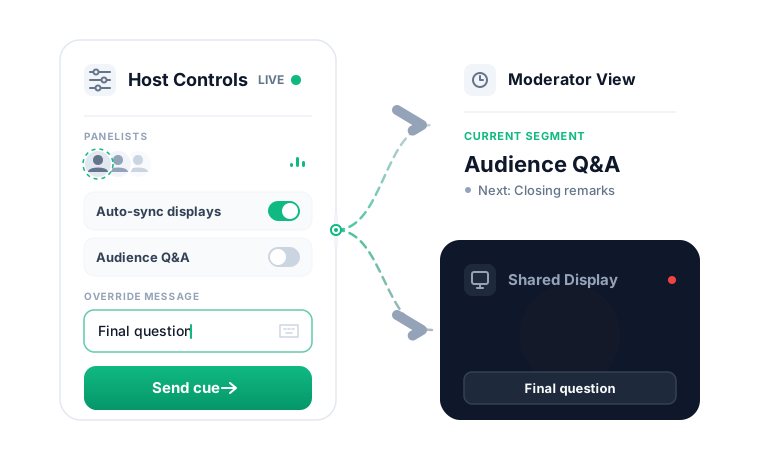
PresentationTimer keeps those roles clear. The host opens the control view. The moderator follows a read-only panel monitor. The room or stream sees a clean timer display.
That display can live on a stage screen, confidence monitor, webinar share, or a browser window near the moderator desk.
The host can adjust timing live without exposing settings, edit UI, or room controls to the rest of the panel.
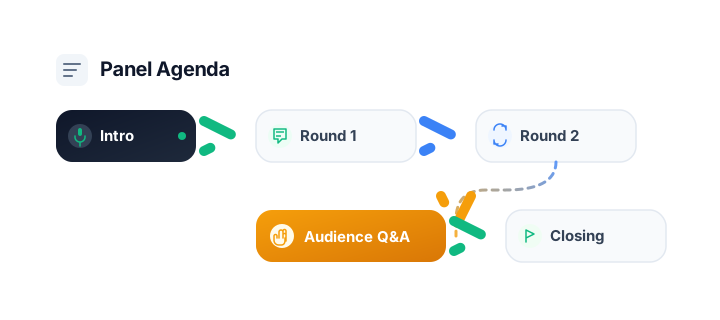
When the session has multiple parts, the room can hold a lightweight agenda for intro, speaker rounds, Audience Q&A, and closing remarks.
The result is a calmer discussion: moderators see the flow, speakers stay aware of pacing, and wrap-up cues stay visible when the conversation starts slipping.